
Research & copy
Begin with business context and a message for your audience. Research and copywriting stages inform the structure of the page.
FABER / AI website builder
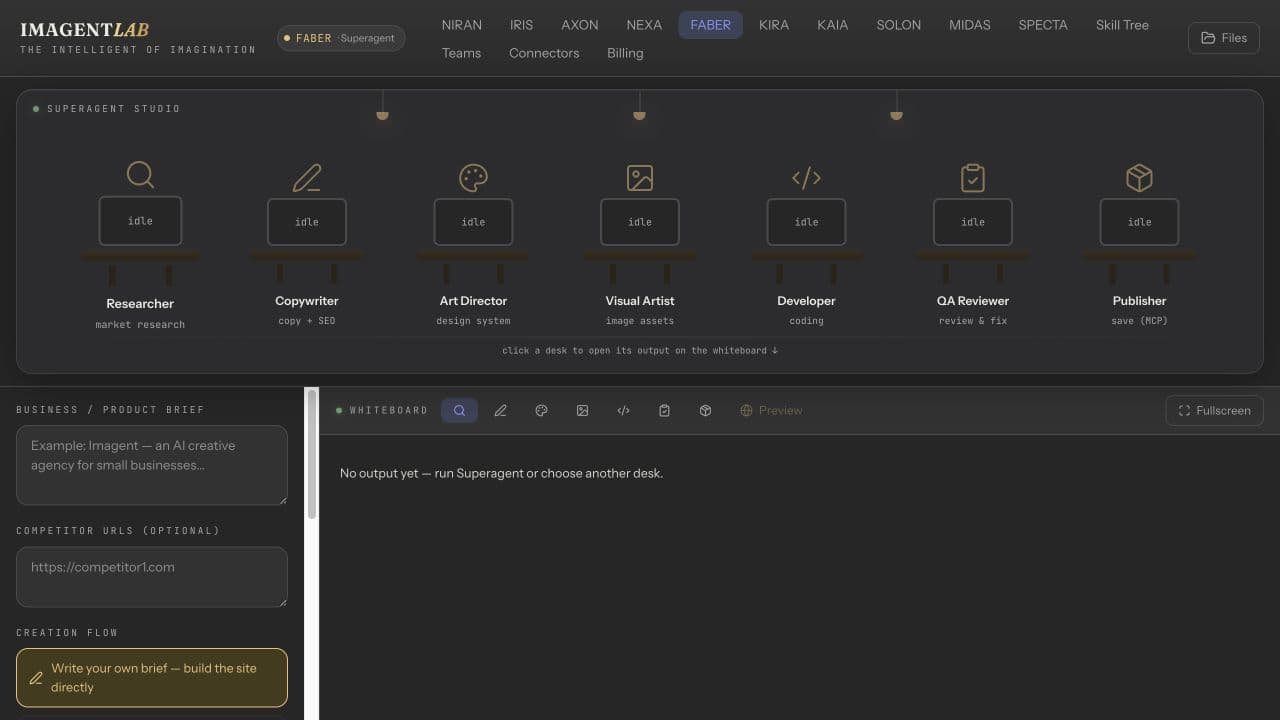
A website needs more than code. FABER coordinates research, copywriting, art direction, visual assets, development, and QA to turn your brief into an HTML landing page.
Inside IMAGENTLAB · Account required · Credit-based usage
WHAT YOU WALK AWAY WITH
See the work pass between specialists, inspect what they produce, and review the page before taking it into your own publishing workflow.
Begin with business context and a message for your audience. Research and copywriting stages inform the structure of the page.
Art direction and visual assets give the developer a creative foundation, instead of leaving every design decision to the coding stage.
The developer builds the page, followed by a QA review with browser checks. Inspect the preview yourself: automated review does not guarantee a flawless or production-ready website.
Preview your page, request a paid revision, and export the HTML project as a ZIP. Hosting and a custom domain are separate from generating the website.
FROM INPUT TO OUTPUT
Describe your business and page objective, add relevant assets, or use your KIRA brand context.
Follow the seven stages: Researcher, Copywriter, Art Director, Visual Artist, Developer, QA Reviewer, and Publisher.
Check the page in desktop and device previews. Ask for changes through a follow-up task when you need another iteration.
Download the project, verify links and content, then deploy with your chosen hosting provider.
BEFORE YOU BEGIN
What to expect from FABER, and where your own review still matters.
You can start the HTML landing-page workflow with a business brief rather than code. You still need to review the generated page and may need technical help for custom integrations or deployment.
The HTML Superagent workflow currently uses 50 credits per generation and 15 credits per revision. Check the amount displayed in FABER before submitting a task.
No. The workflow provides a preview and downloadable project. Publishing to a hosting provider and connecting a domain are separate steps, with any associated provider costs.
Yes. Select the brand context in FABER to carry its direction into the website workflow. Review the finished copy, visual choices, and layout against your brand book.
KEEP BUILDING
NIRAN
Think, draft and explore with NIRAN AI chat. Bring files into a conversation, choose available models, and discover the separate NIRAN Voice workspace.
Explore NIRANIRIS
Create brand visuals with IRIS, an AI image and video studio with references, templates and image editing tools. Explore the workflow and model access.
Explore IRISStart in IMAGENTLAB. Review the plan and credit requirements before generating.