
Images with a starting point
Use image templates, prompts, and reference photos to explore product compositions, editorial looks, and campaign visuals.
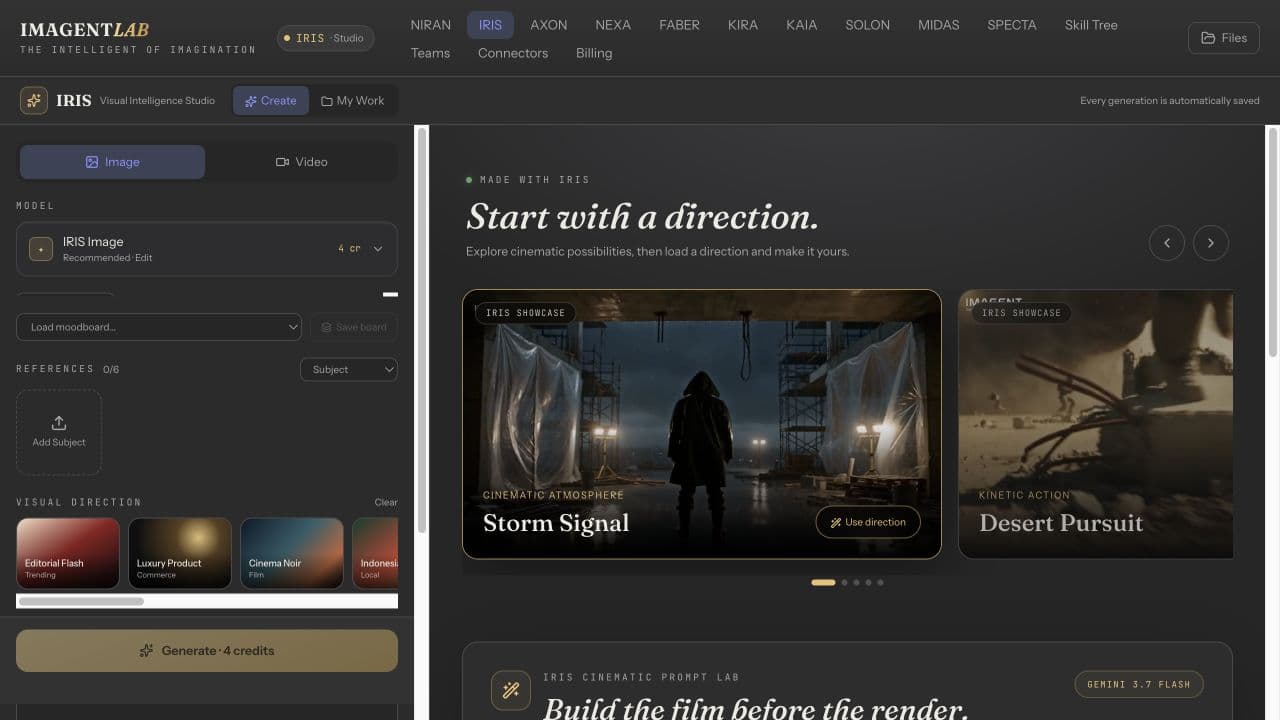
IRIS / AI image & video studio
Create product imagery, campaign concepts, and video in one visual workspace. Start from a prompt, add references, or use a template to give your next idea a concrete direction.
Inside IMAGENTLAB · Account required · Credit-based usage
WHAT YOU WALK AWAY WITH
Move between dedicated image and video workflows while keeping the creative direction close. Explore an idea, review the result, and refine what matters.
Use image templates, prompts, and reference photos to explore product compositions, editorial looks, and campaign visuals.
Work with supported editing models to change a background, adjust an outfit, add a prop, or explore another camera angle. Review each edit; precision varies by model and image.
Choose a video model and build from text or supported image references. Available formats, duration, and generation options depend on the selected model.
Keep generated media in My Work, revisit a result, and download the assets you want to use. Bring a Brand Kit into the workflow to inform the direction.
FROM INPUT TO OUTPUT
Start in the workflow that matches the asset you need, then select an available model.
Write a prompt, choose a template, or upload reference images you have permission to use.
Check the displayed credit cost, generate, and inspect the result. Use supported editing tools to develop the next version.
Return to saved generations in My Work and download your chosen assets for the next stage of production.
BEFORE YOU BEGIN
What to expect from IRIS, and where your own review still matters.
Yes. Upload reference images in IRIS and describe the result you want. Reference support depends on the model and generation mode; check the output for changes to product details.
IRIS provides image editing actions and area editing for supported workflows. You can request targeted changes, but generative edits are not a guarantee that every other pixel will remain unchanged.
Veo video is available on every plan when you have sufficient credits. Other video models require an active Creator, Studio, or Agency subscription as well as enough generation credits.
No. Credit costs vary by model and settings. Review the cost shown in the studio before generating. A subscription unlocks eligible models; it does not make usage unlimited.
KEEP BUILDING
NIRAN
Think, draft and explore with NIRAN AI chat. Bring files into a conversation, choose available models, and discover the separate NIRAN Voice workspace.
Explore NIRANKIRA
Build a clearer brand with KIRA. Specialist AI agents develop positioning, brand voice, visual identity and a downloadable PDF and HTML brand book.
Explore KIRAStart in IMAGENTLAB. Review the plan and credit requirements before generating.